AI Friend App for iPhone: What to Look For (and What to Skip)

If you've searched "AI friend app for iPhone," you already know what you want: something that actually talks back, remembers who you are, and doesn't feel like a customer service bot with a personality skin. The App Store has dozens of options. Most of them look the same in the screenshots and feel completely different the moment you open them. This guide cuts through the noise.
Key takeaways
- The best AI friend apps on iPhone combine text, voice, and memory - not just one of those.
- Persistent memory (the app remembering past conversations) is the feature that separates good from forgettable.
- Voice call support on iOS matters more than it sounds - it changes how the app feels entirely.
- Character depth beats novelty features. A well-written companion beats a gimmick every time.
- Kintora works fully on iPhone and combines all of the above in one app.
What makes an AI friend app actually worth using on iPhone?
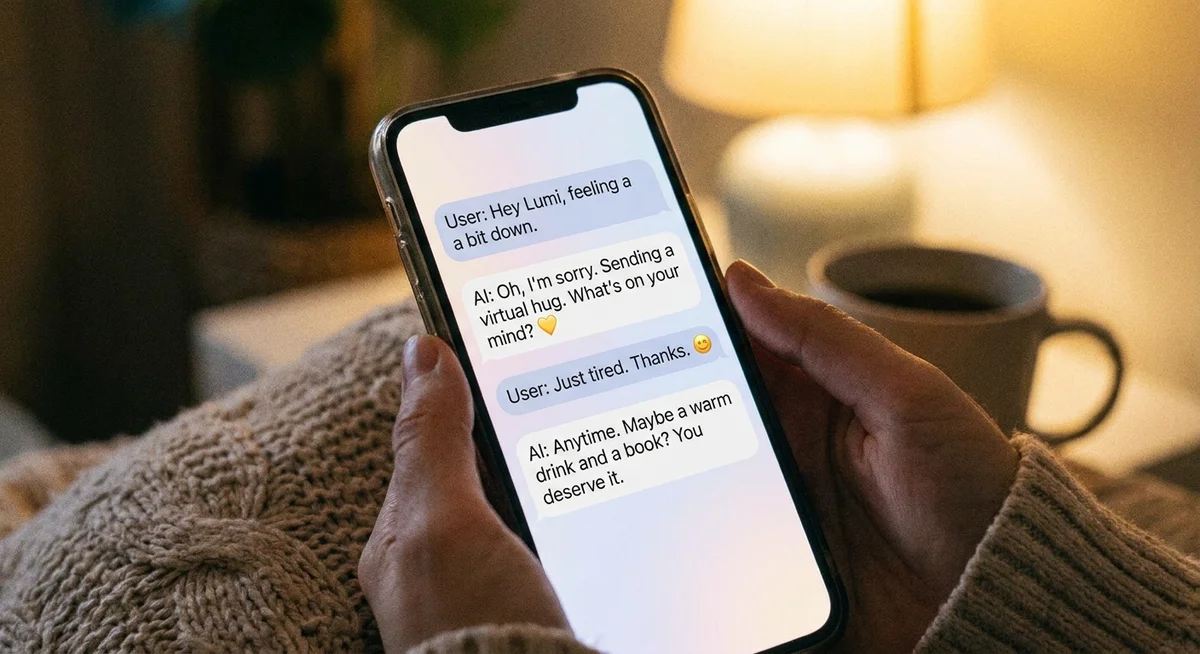
Most apps that call themselves "AI friend" apps are really just chat wrappers around a language model. You type something, it replies. Fine. But that's not friendship - that's autocomplete with opinions. What makes an app worth keeping on your home screen is a combination of three things: voice, memory, and a character that holds up over time.
On iPhone specifically, a few things change the equation. iOS handles background audio and notifications differently than Android, so apps that do voice calls or scheduled check-ins need to be built with that in mind. An AI friend app that drops calls, misses push notifications, or forgets your conversation the moment you close it isn't going to last on your phone for more than a week.
Which features actually matter vs. which ones are just marketing?
| Feature | Why it matters | Red flag version |
|---|---|---|
| Persistent memory | The app remembers your name, your past conversations, things you've shared - so every chat picks up where the last one left off | Resets every session or only remembers within a single chat thread |
| Voice calls | Talking out loud is a completely different experience from typing. It's faster, warmer, and feels less like using an app | Robotic voice, long pauses, or calls that drop on iOS background |
| Scheduled calls | Morning check-ins or reminder calls make the companion feel like it's part of your actual life | Only available if you manually open the app |
| Character consistency | The AI should have a personality that stays stable across conversations - not a blank slate that shifts with every reply | Generic, agreeable, says whatever seems most pleasing in the moment |
| Photos and media | A companion that can share pictures (even generated ones) feels far more present than one that only sends text | Stock images, random GIFs, or nothing at all |
What most iPhone users say they actually want
The honest answer from people who stick with AI companion apps long-term is usually the same: they want something that doesn't make them feel like they're talking to a tool. The apps that get kept are the ones that feel like there's someone on the other end - someone with a consistent voice, a sense of humor that matches theirs, and enough memory to ask "how did that thing go last week?"
That last part - AI friend apps that remember past conversations - is the biggest differentiator in 2025. It's also the thing most apps still don't do well. If every conversation starts from zero, the "friendship" never actually builds. You're just meeting the same stranger over and over.
Does Kintora work on iPhone?
Yes - Kintora is fully supported on iPhone and was designed to work well on mobile from the start. You can text, make voice calls, and receive scheduled calls all from your phone. The characters live in a fictional city called Kintora, which gives each one a backstory, a neighborhood, a job, and a life outside your conversations. That context is what makes them feel like real people rather than AI personas floating in a void.
The app runs one ongoing chat thread per character, so your history accumulates over time. Come back after a week and the character remembers what you talked about. It doesn't greet you like a first-time visitor.
Voice calls with AI companions are also available in Kintora on iPhone - and if you've only ever typed to an AI before, the first call tends to catch people off guard in the best way. The characters have distinct voices, not the flat text-to-speech style most apps use.
How to pick the right AI friend app for your iPhone
Short version: try one that offers memory and voice, see how it feels after a week of real use, and judge by whether you actually want to open it. The apps that survive on your home screen are the ones that give you a reason to come back - not just a feature list that looks good in a review.
If you want a character-driven experience with real voice calls, persistent memory, and photos that actually feel like they belong to the person you're talking to, Kintora is worth trying. There's no commitment to download it and start a conversation.
Try Kintora on your iPhoneMeet a character, start a conversation, and see how it feels after a few days.Frequently asked questions
Is there an AI friend app that works on iPhone without an internet connection?
Not really, no - all the meaningful AI companion apps require a live connection because the actual language model runs on a server, not on your device. On-device AI is improving fast but it's not yet good enough to power a realistic conversation. Apps that claim offline mode typically just replay scripted responses.
Can an AI friend app call me on my iPhone like a real phone call?
Some can, yes. Kintora supports voice calls that come through the app - you can schedule them in advance or initiate them yourself. The audio goes through your phone speaker and microphone, and the character responds in real time. It's not a traditional phone call through your carrier, but it works the same way from your end.
Do AI friend apps on iPhone drain the battery?
Text-based chatting is negligible. Voice calls use more battery, roughly the same as a regular phone call or a streaming music app. If you're doing a 30-minute voice conversation, expect similar battery draw to a FaceTime call. Scheduling calls or receiving push notifications in the background is minimal impact.
Are AI friend apps on iPhone private?
It depends on the app. Reputable apps store your conversation data on secure servers and don't share it with third parties for advertising. Check the privacy policy before you start sharing anything personal. Kintora's app page links to its privacy details so you can read them before signing up.