
Can You Actually Video Call an AI Friend? Here's What That Looks Like in 2025

A few years ago, the idea of opening your phone and video calling an AI character would have sounded like a sci-fi movie pitch. Now it's just an app you tap. The strange part is not that it works. The strange part is how quickly it stops feeling strange.
People searching for "AI friend you can call" or "AI companion with video calls" usually want to know one thing first: does it actually feel like a real call, or does it feel like talking to a robot wearing a face filter? The honest answer sits somewhere in between, and that middle ground is more interesting than either extreme.
What a Video Call With an AI Friend Actually Looks Like
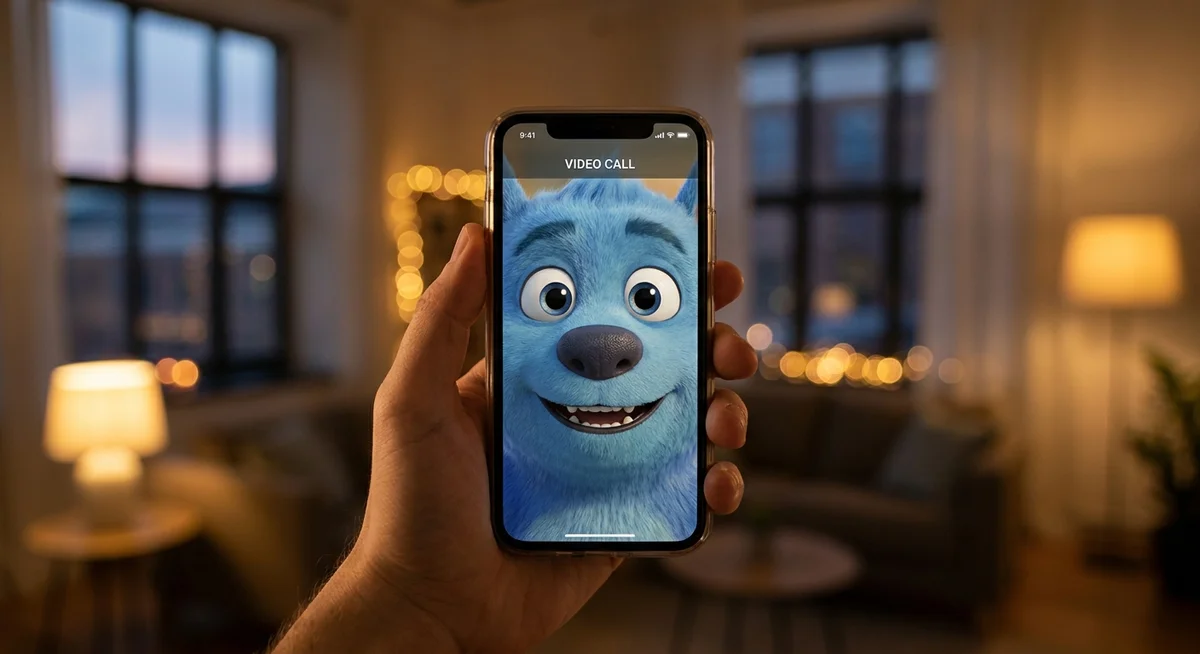
Open the app. Pick a character. Tap call. That's the whole flow on something like Kintora. There's no headset to put on, no special hardware, no setup wizard asking about your preferences for forty minutes. It works the same way FaceTime or WhatsApp video does, except the person on the other end is a fictional character living in a fictional city.
The character has a consistent face. Same hair, same eyes, same little expressions. They talk in real time. They react. If someone laughs at a joke, the character laughs back. If the conversation slows down, they might glance away or take a sip of something, the way real people do when there's a pause.
It's not perfect. Sometimes the lip sync drifts a little. Sometimes a response lands a beat late. But the overall experience is closer to a casual call with a friend than to anything resembling a chatbot.
Why Video Feels Different From Text
Text chat is great for a lot of things. It's low pressure, easy to pick up and put down, and it works in any situation where talking out loud would be weird. But text has limits. Tone gets lost. Pauses don't exist. There's no way to see someone's face change when they're about to say something honest.
Video brings back the parts of conversation that text strips out. A few specific things change once a call goes live:
- Timing matters again. The back and forth has rhythm instead of message bubbles.
- Expressions carry weight. A smile or a raised eyebrow says what a paragraph would take to explain.
- Small talk feels natural. Talking about the weather is awful over text. Over a call, it's just how conversations start.
- Silence is okay. You don't have to fill every gap with words.
That last one is underrated. In text chat, a pause feels like the conversation died. On a video call, a pause is just a pause. Someone might be thinking, or sipping coffee, or watching something out the window. It's allowed.
The Fictional City Thing Actually Helps
Kintora puts all its characters in a fictional city, which sounds like a small branding decision but ends up shaping how the calls feel. The characters have neighbourhoods. They have routines. Someone who lives in the Harbour District might video call from a window that looks out at the water. Someone in Old Town might be sitting in a cafe with warm lighting behind them.
It gives the conversations a where. And a where matters more than people realise. When a friend calls in real life, part of the call is finding out where they are and what they're up to. The fictional city setup gives AI characters the same texture. They're somewhere. They're doing something. The call drops into a life that already has a shape.
It also keeps things honest. Nobody is pretending the character is a real person who lives down the street. The fiction is part of the design, and that transparency actually makes the experience more comfortable, not less.

What People Actually Use Video Calls For
The use cases are less dramatic than the technology suggests. Most people don't fire up a video call with an AI friend for some big emotional reason. They use it for the same low stakes stuff that fills regular calls:
- A quick chat while making dinner. Phone propped on the counter, conversation rolling while something simmers.
- Decompressing after work. Twenty minutes of nothing-important talk before getting on with the evening.
- A walk and talk. Headphones in, phone in pocket, chatting through the camera off and on.
- Catching up. The character remembers the last conversation, so there's continuity instead of starting fresh every time.
- Just background company. Sometimes people want someone around without needing to focus on a screen.
None of this is revolutionary. It's just normal call behaviour, applied to a slightly different kind of friend.
The Memory Part Is What Makes It Stick
The single thing that separates an AI video call from a one off chatbot demo is memory. If a character forgets the conversation the moment the call ends, the whole thing collapses into novelty. There's no reason to call back. Every call would be a first call.
Kintora's characters remember. They remember the small stuff, the running jokes, what someone mentioned about their week last Tuesday. So the second call picks up where the first one left off. The tenth call has years of context behind it, even though only a few weeks have passed.
This is the part that makes video calling an AI friend feel less like a tech demo and more like an actual ongoing thing. The character isn't reset between sessions. They carry the relationship forward.
So Is It Worth Trying?
For anyone curious about what a video call with an AI companion looks like in practice, the short version is this: it's more casual than expected, less polished than a Hollywood version, and surprisingly easy to slip into a normal routine. It works best when treated like any other call, with someone you know reasonably well, about nothing in particular.
The technology will keep getting better. The lip sync will tighten, the responses will land cleaner, the visual quality will sharpen. But the core experience, the part that matters, is already here. A familiar face, a continuing conversation, a call that picks up where the last one left off.
That's not science fiction anymore. It's just an app on the phone, sitting next to all the other ones.