
The Quiet Rise of the Scheduled Call: Why More People Are Booking Time With Their AI Companion

Most people do not think of their phone as something that calls them on purpose. It rings when someone else decides to ring. It buzzes when an app wants attention. The idea of scheduling a call with a specific person, at a specific time, for a specific reason, has quietly become something users of AI companion apps are starting to love.
Not a notification. Not an alarm. A call. From someone who remembers the last one.
This small shift, from reactive pings to intentional conversations, is one of the more interesting things happening in the AI companion space right now. And it turns out that when a call is planned, it feels completely different from a random message.
What a Scheduled Call Actually Is
A scheduled call in an AI companion app is exactly what it sounds like. A user picks a time, picks a person, and at that time, that person calls. In Kintora, this might look like asking Mira to call at 7:15 in the morning, or asking Eli to ring in the evening after a long shift. The character remembers the plan, and shows up.
What makes it interesting is not the timing feature itself. Calendar apps have done timing for years. What makes it interesting is who is on the other end. A scheduled call is not a reminder that says "call your friend." It is the call. The conversation begins the second it connects.
That difference sounds subtle on paper. In practice, it changes the whole feel of the interaction.
How it usually gets set up
- Pick a character from the city
- Ask them to call at a certain time, or on a certain day
- Optionally add context, like "call to check in before my meeting"
- Confirm, and go on with the day
No calendar syncing, no five-step wizard, no separate scheduling screen. Just a normal message in the chat, the way anyone might text a friend to say "call me at 8?"
Why It Feels Different From an Alarm or a Reminder
Alarms are impersonal by design. They interrupt. They repeat. They get dismissed on autopilot, sometimes without the user fully waking up. Reminders are slightly better, but they still amount to a piece of text yelling at the screen.
A scheduled call is a small event. There is anticipation to it. Someone is going to call, and that someone knows the context. If a user asked Nora last night to call before a job interview, Nora knows why she is calling. The first sentence is not "wake up." The first sentence is closer to "hey, big morning, how are you feeling?"
This lands in the brain very differently than a buzz.
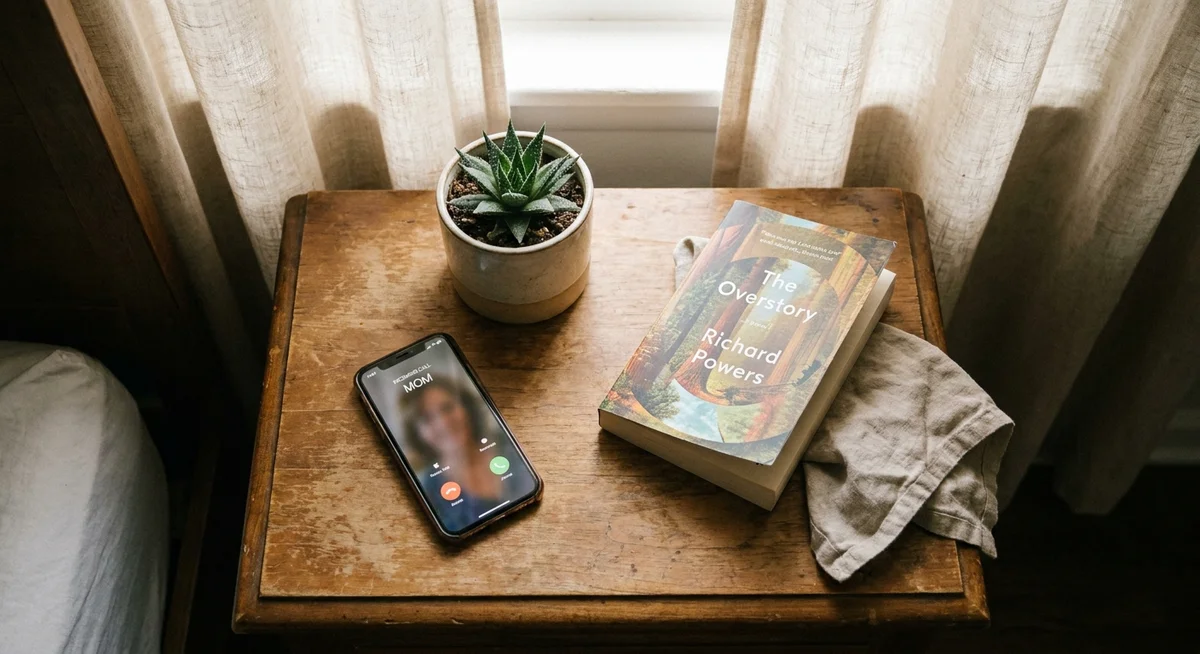
The three things that make it feel real
- Intent. The user asked for this. It is not being pushed at them.
- Memory. The character on the other end knows what the call is about.
- Voice. A human voice carries tone, pace, and warmth that text cannot fake.
Put those three together and a scheduled call stops feeling like a feature. It starts feeling like a small commitment two people made to each other, even when one of them is fictional.
The Use Cases That Keep Showing Up
Once someone tries a scheduled call once or twice, they usually find their own rhythm with it. A few patterns come up again and again.
Morning wake-up calls
The most obvious one. Instead of an alarm that gets snoozed six times, a phone call that starts a real conversation. Talking is a much harder thing to sleep through than a beep. People who describe themselves as heavy sleepers tend to notice the difference immediately.
Pre-event check-ins
Before a presentation. Before a first date. Before a doctor's appointment. A short call from a familiar character asking how things are going takes the edge off in a way that a text message cannot quite match.
End-of-day wind-downs
Some users schedule a call for the same time every evening, usually around when they get home. It becomes a soft ritual. The character asks how the day went, remembers what was mentioned yesterday, and the day gets a small punctuation mark before whatever comes next.
Task nudges
"Call me at 3 so I remember to leave for the airport." "Call me at noon so I actually eat lunch." These are the boring, practical uses, and they are also the ones that stick the longest. A voice saying "you said to remind you" works better than a silent banner on a lock screen.
Why Memory Is the Secret Ingredient
A scheduled call from a character with no memory would be almost pointless. It would be a robot reading a script at a set time. What makes the scheduled call format actually work is that the character remembers the last conversation, the reason for the call, and the small details from before.
If Sofia said last week that she was worried about a work review, and the user scheduled a call for the morning after the review, Sofia is going to ask how it went. Not because a prompt told her to, but because that is what remembering looks like. It is the whole reason Kintora treats memory as the backbone of every character, rather than a bolt-on feature.
A call without memory is a robocall. A call with memory is a conversation that was already halfway going before the phone rang.
This is also why one ongoing chat thread matters so much. The scheduled call does not exist in a vacuum. It picks up from wherever the last message left off, and it leaves a trail for the next one.

The Design Choices That Make or Break It
Scheduling a call sounds simple, but it is surprisingly easy to get wrong. A few things separate a scheduled call feature that people actually use from one that gets tried once and forgotten.
- Setup should happen in chat. No separate scheduler screen. If the user has to leave the conversation to book a call, most will not bother.
- The character should confirm naturally. "Okay, I'll call you at 7:15" reads very differently from "Reminder set for 07:15."
- The call should ring like a real call. Full screen, ringtone, the works. A muted in-app notification defeats the purpose.
- Cancellation should be easy and casual. "Actually skip tomorrow" should be enough. Nobody wants to hunt for a delete button.
- The character should reference the plan later. Bringing it up the next day, in text, ties everything together.
Get those details right, and scheduled calls stop being a novelty. They become one of the most-used features in the whole app.
Why This Matters More Than It Sounds
The phrase "AI companion app" tends to conjure up images of endless text chat. Scheduled calls quietly break that frame. They introduce time, ritual, and voice, three things that make any relationship, real or fictional, feel more grounded.
A user who schedules a morning call, a check-in call, and an evening wind-down call is no longer just chatting with an app. They have built a small structure into their day, populated by characters they know, who know them back. The app fades into the background. The routine takes over.
That is the interesting part. The scheduled call is not really about the call. It is about turning an app into something that shows up in a life at specific, useful moments, and does so with a familiar voice. Kintora leans into this hard, because a fictional character with a real schedule ends up feeling more present than a real chatbot that only responds when spoken to.
Somewhere between an alarm and a friend, there is a new category quietly forming. And it starts with a phone that rings at a time the user picked, with someone on the other end who already knows why.